Purchase & Payment
Where to buy
- Not registered / signed in? Sign in first;
- Signed in: the “Activate membership” button on the workbench lock, or user menu → “Membership” → purchase.
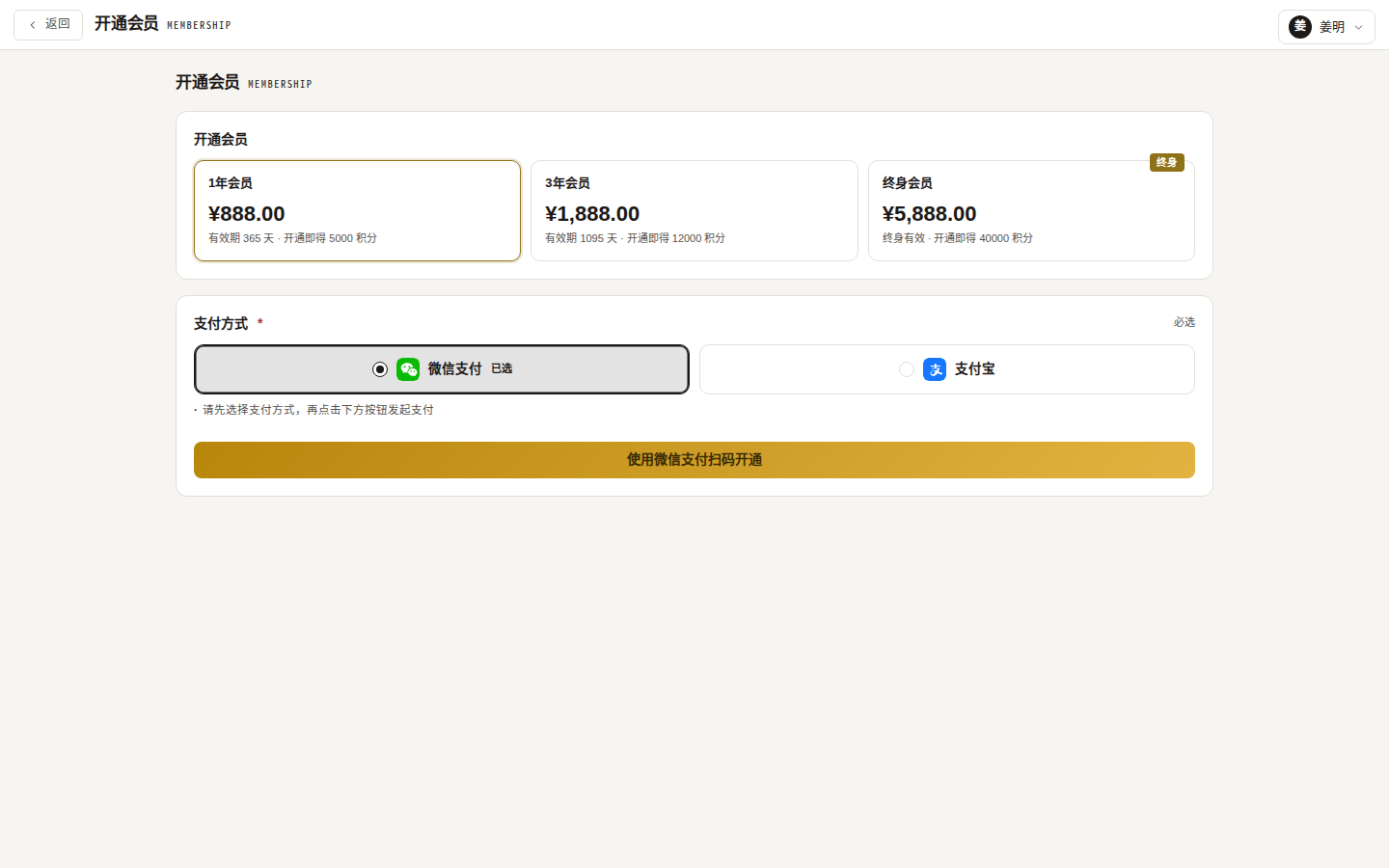
Placing an order
- Pick a plan card (price, struck-through original, duration, bonus credits, discount countdown);
- Choose a payment method — WeChat Pay or Alipay (required);
- Click “Pay via WeChat / Alipay”.
Scanning to pay
- WeChat Pay: the dialog shows a QR code to scan;
- Alipay: the Alipay cashier opens automatically (a “Reopen Alipay cashier” button is available);
- The dialog shows amount and order number and polls the payment status every 2 seconds for up to 5 minutes.
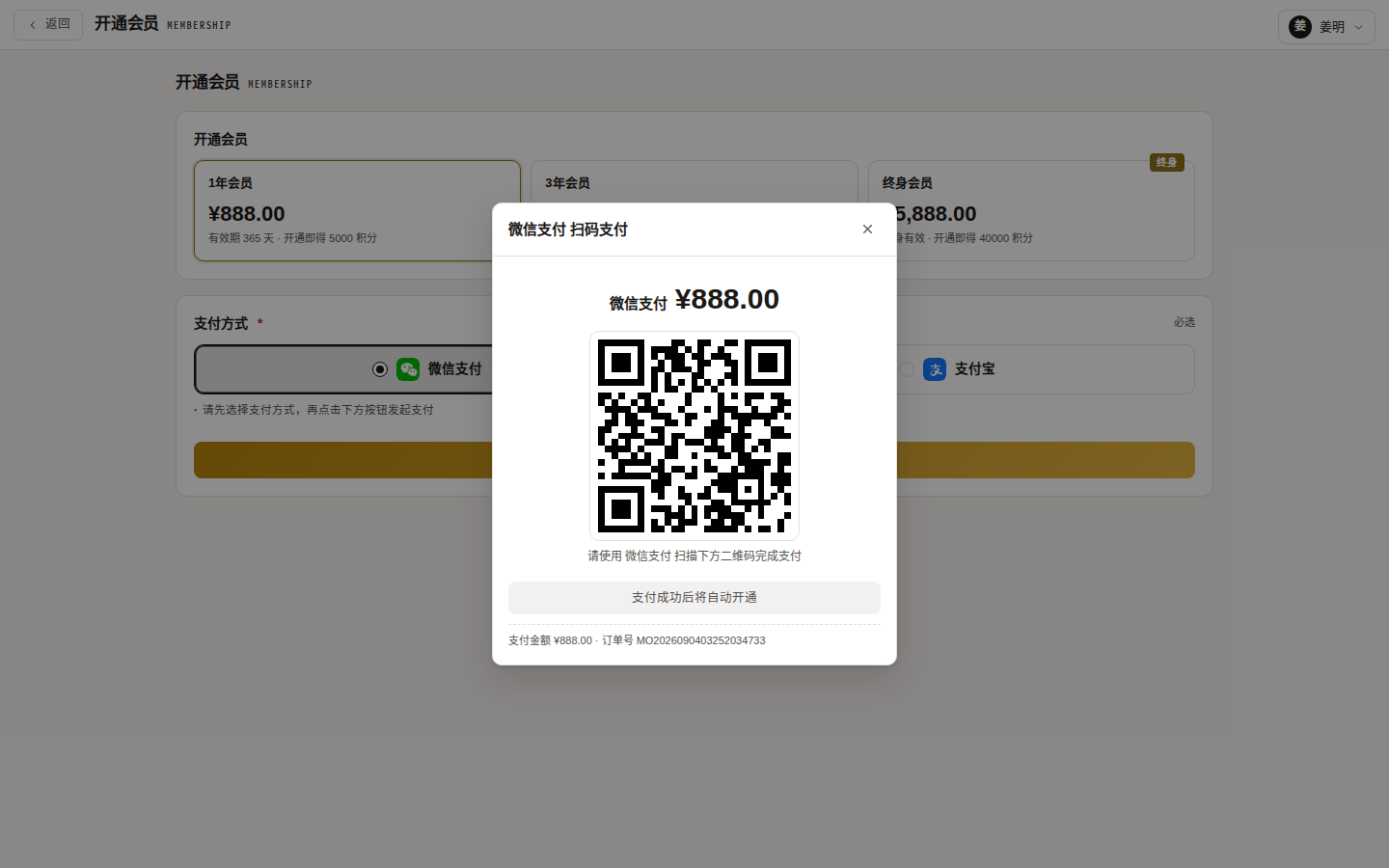
Result
- Paid: “Membership activated” — the lock lifts immediately and bonus credits arrive;
- Unpaid / closed: “Payment incomplete, order closed” — place a new order;
- Timeout: “Payment timed out, please order again”.
Invoices
Paid orders can be invoiced in the Invoice center (multiple orders can be merged into one invoice).