Quote & Work Order
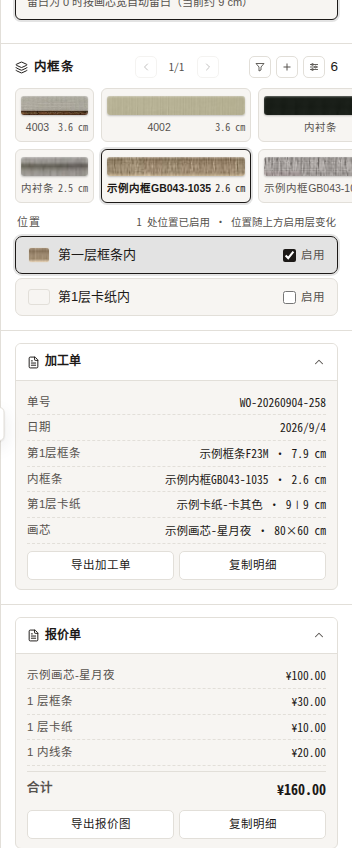
Two collapsible sections sit at the bottom of the parameter panel: Work order and Quote. Click a header to expand.
Quote
Line items for the picture, size, frame layers 1–3, mat layers 1–3 and fillets, plus the total. Prices follow the admin-maintained asset prices and the current structure (see Pricing Rules).
- Export quote image: export as an image to share with customers;
- Copy details: copy a text version to the clipboard.
Work order
The workshop sheet: order number, date and a layer-by-layer bill of materials (outer → inner, including corner widths).
- Export work order: export as PNG;
- Copy details: copy a text version.
Price on save
When you click “Save artwork”, the current total is stored with the artwork as a price snapshot.
Quotes currently apply no membership discount (a discount note would be shown if applicable); amounts display with 1 decimal.