Projects
Projects group artworks (per customer, per order…). A “Default project” is created automatically at registration.
Switch & create
The project bar in the top bar lets you:
- Switch the current project (new artworks are filed into it);
- Create a project (+ button, name only);
- Manage projects (list button) via the management dialog.
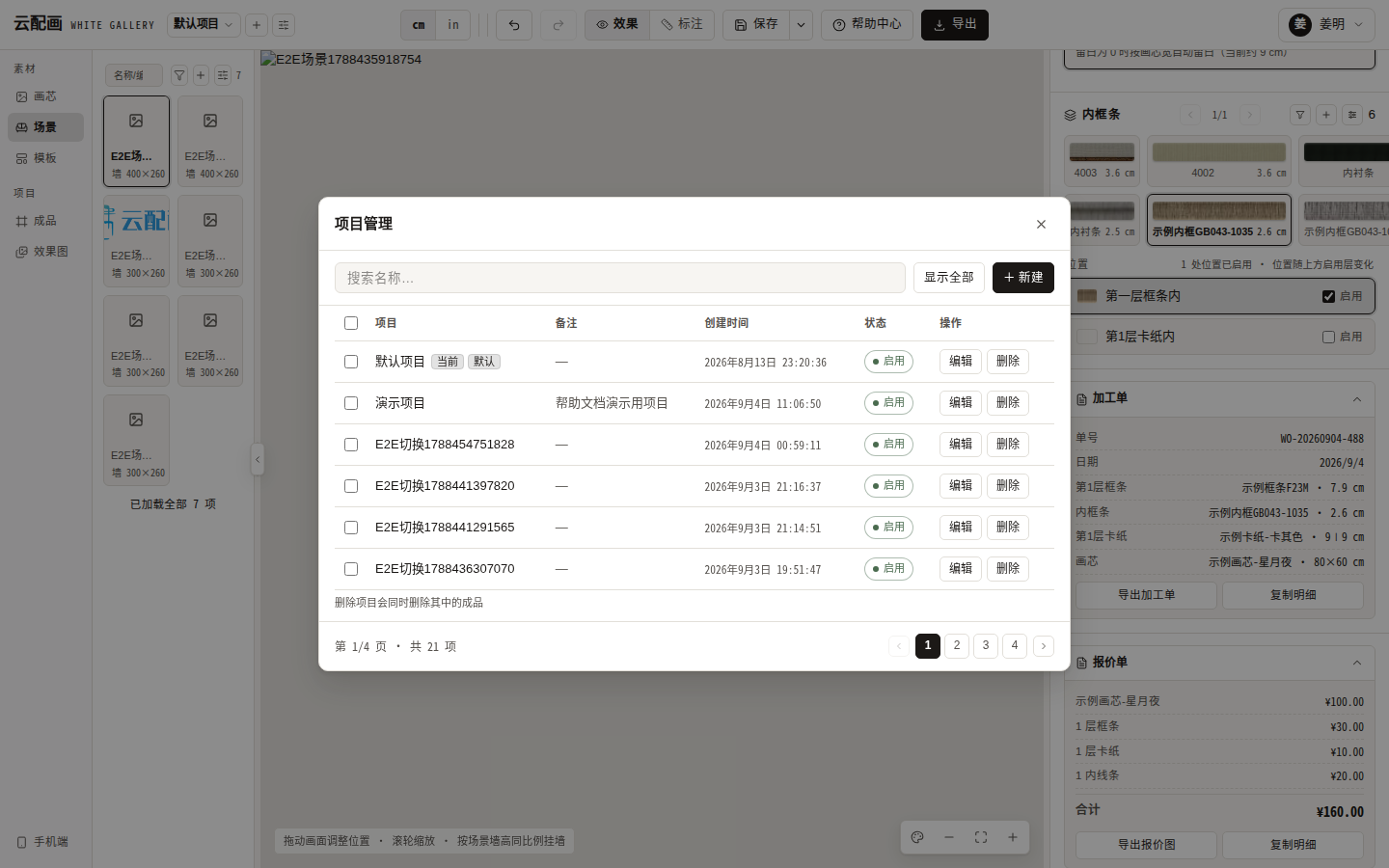
Management dialog
- Lists projects with a type column (system-created “default” vs “normal”);
- Create, edit, delete projects;
- “View artworks” opens a thumbnail grid of that project’s artworks and renders (empty projects show a hint).
Deleting a project deletes its artworks; the default project is protected and cannot be deleted.
Copy / move artworks
In the library “Artwork / Render” tabs, hovering a card reveals “copy / move to project” for re-filing.