Store Settings
“Settings → Store settings” keeps your store profile and dealer qualification on one page; both are saved and re-reviewed together.
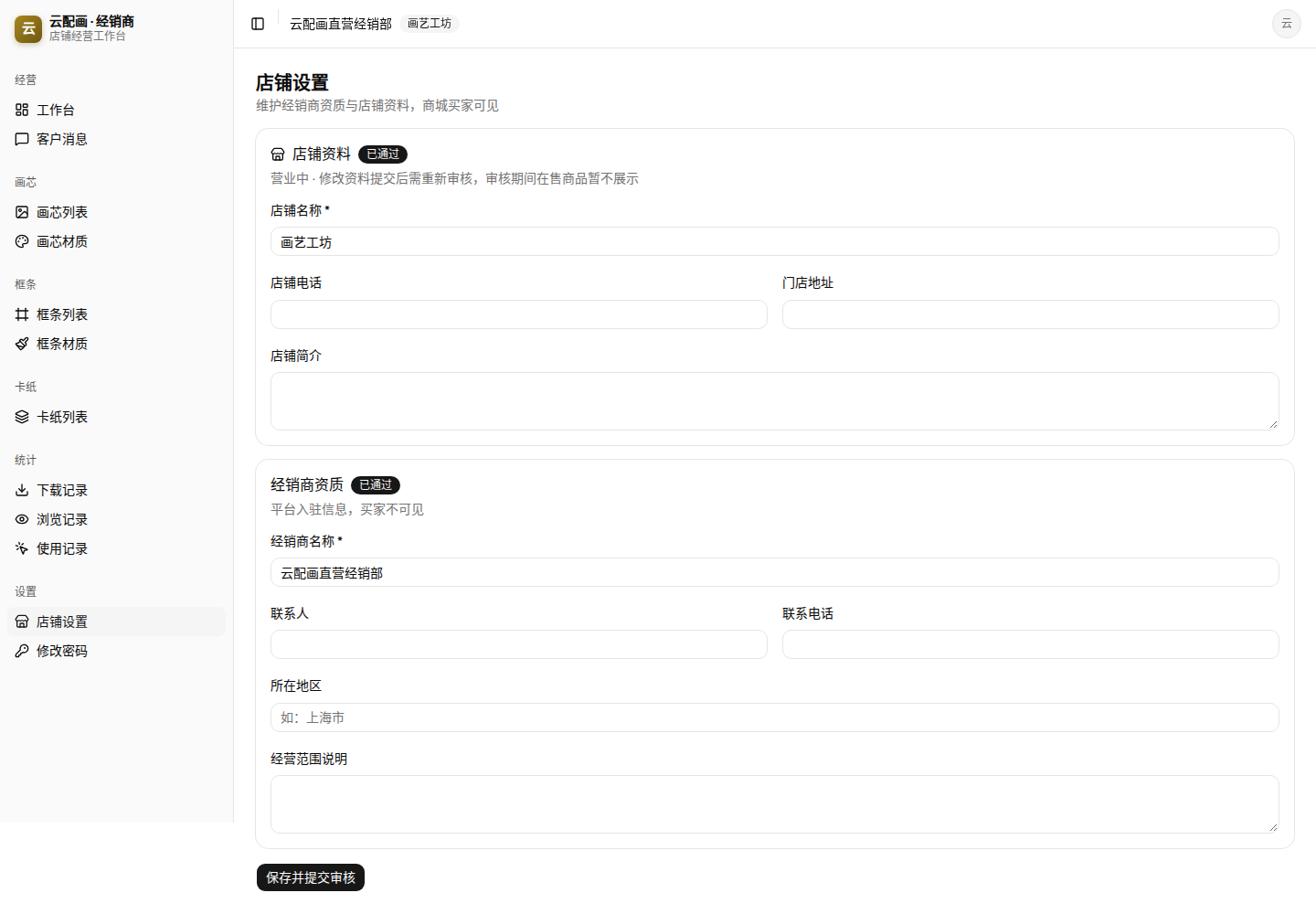
Two sections
| Section | Fields | Visibility |
|---|---|---|
| Store profile | Store name *, store phone, address, description | Mall buyers |
| Dealer qualification | Dealer name *, contact person, phone, region, business description | Platform only |
Changes require re-review
- The page header shows the current review status (e.g. “Approved”); changes to an operating store trigger re-review;
- Between submission and approval your on-sale products are hidden from the mall; they return once approved;
- If rejected, check the reason here, revise and resubmit.
Password
“Settings → Password” changes your console login password; use the new one at next sign-in.