Products
The “Picture / Frame / Mat” sidebar groups each contain a product list page and a material vocabulary page. All three types share the same publish-and-review flow; only the spec fields differ.
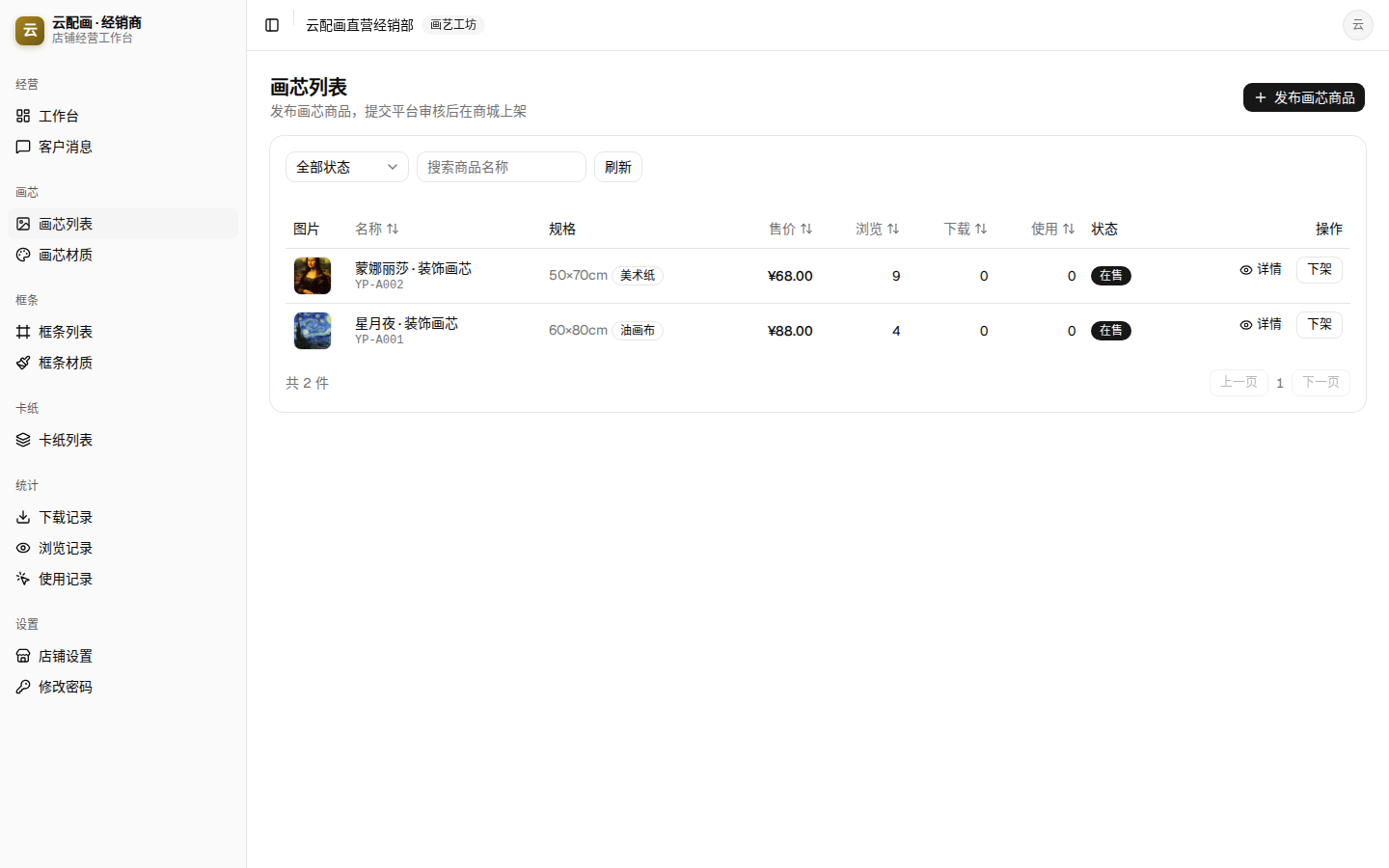
Publishing a product
Click “Publish” at the top-right of a list page:
| Field | Notes |
|---|---|
| Image | Click the box to upload |
| Name * | Shown in the mall |
| Product No. | Optional, for your own bookkeeping |
| Specs (cm) | Depends on type, see below |
| Price (CNY) * | Mall selling price |
| Compare-at price | Optional strikethrough price |
| Description | Optional |
Spec fields by type:
| Type | Spec fields |
|---|---|
| Picture | width *, height *, picture material (dropdown) |
| Frame strip | frame width, frame height, material, inner width, corner width, length per strip (m) |
| Mat | width *, height *, thickness (cm) |
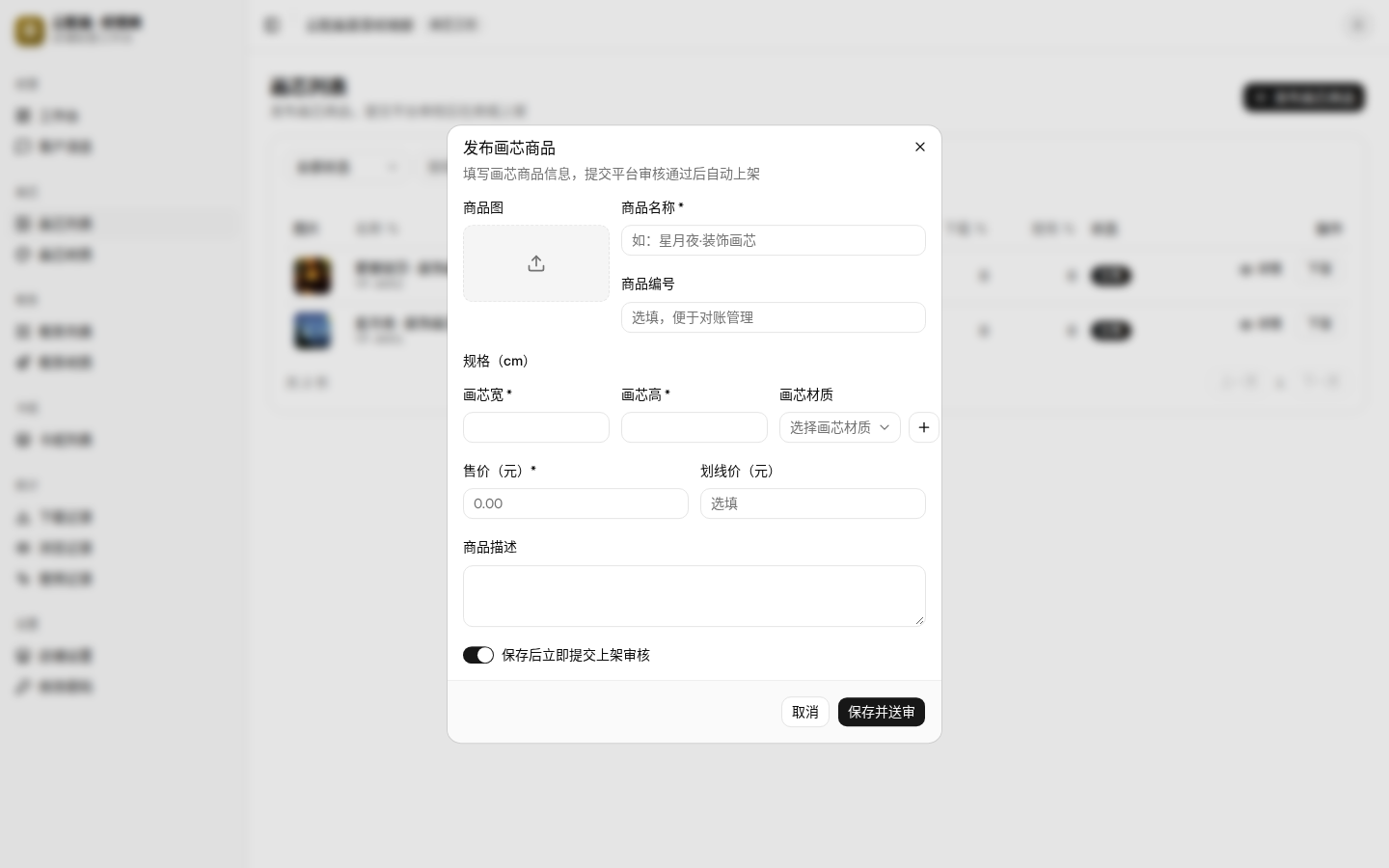
New products offer “submit for review right after saving”: checked, it goes straight to review; unchecked, it is saved as a draft you can submit later.
Status lifecycle
| Status | Meaning | Available actions |
|---|---|---|
| Draft | Not submitted yet | Edit, submit, delete |
| Pending | Waiting for platform review | Wait |
| On sale | Approved, visible in the mall | Take off sale, view details |
| Rejected | Not approved (with reason) | Edit and resubmit |
| Off sale | Was on sale, now hidden | Edit and resubmit |
- Only draft / rejected / off-sale products can be edited;
- Taking an on-sale product offline hides it from the mall immediately; resubmit it for review to sell again.
Product list
The list supports:
- Status filter and name search;
- Sorting by any column header: name, price, views, downloads, usages;
- Per-row actions: details, take off sale (when on sale);
- Pagination, 10 per page.
Product details & records
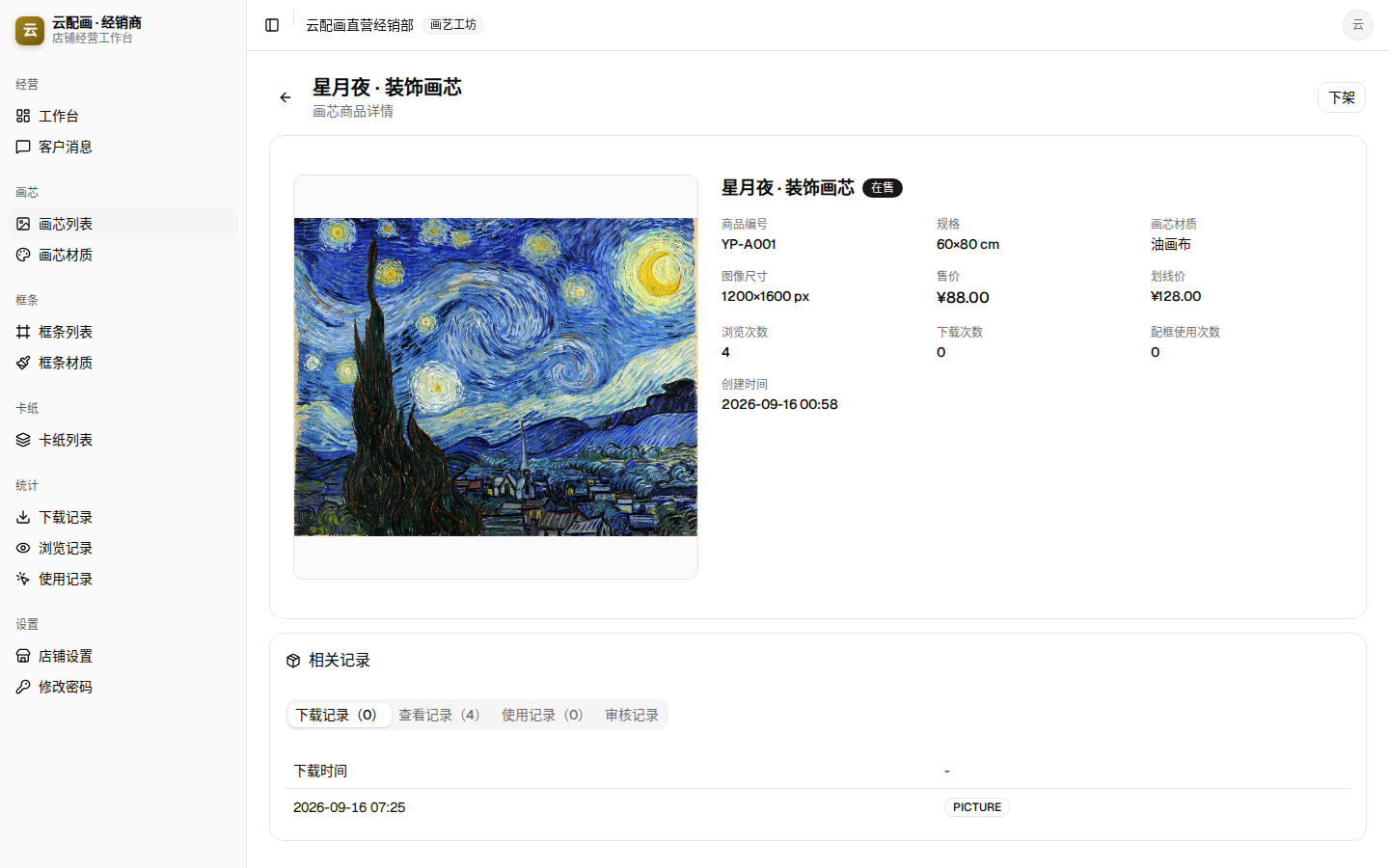
“Details” opens the product page: the top shows all product info plus view/download/framing-usage counters; the bottom “Records” area has four tabs:
- Downloads / Views / Usages: anonymized records for this product (times only);
- Audit logs: every platform action with time, action type, operator and reason — check here for rejection reasons.
Material vocabulary
“Picture materials / Frame materials” pages maintain a controlled vocabulary: product materials must be picked from it (the publish dialog’s ”+” button adds one inline). Materials are referenced by name, so deleting one never affects published products.
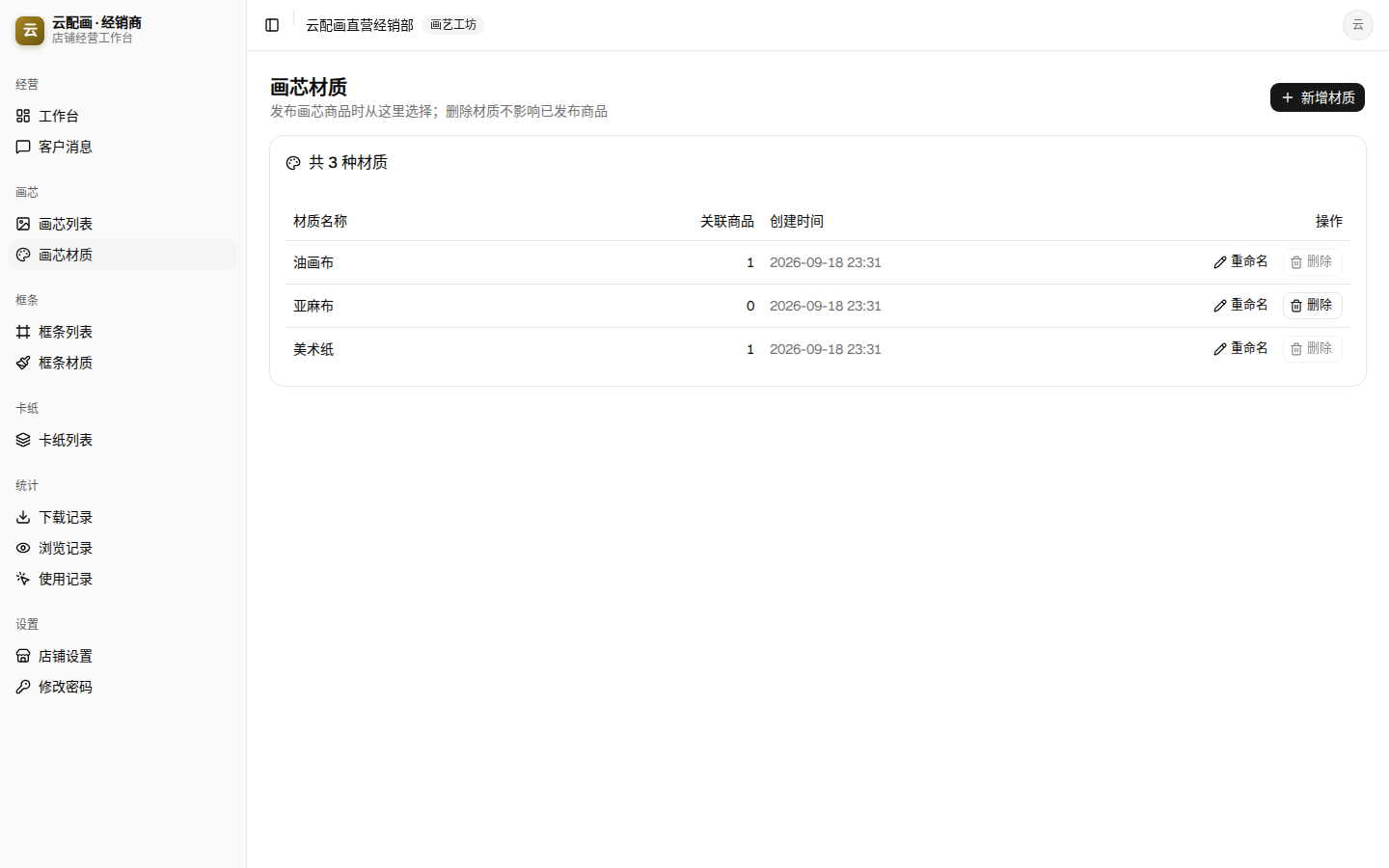
Each row shows the linked-product count and supports rename and delete.